

Frustratingly Slow? Why Your Website Loads Slowly on Mobile Devices (2026 Fix)
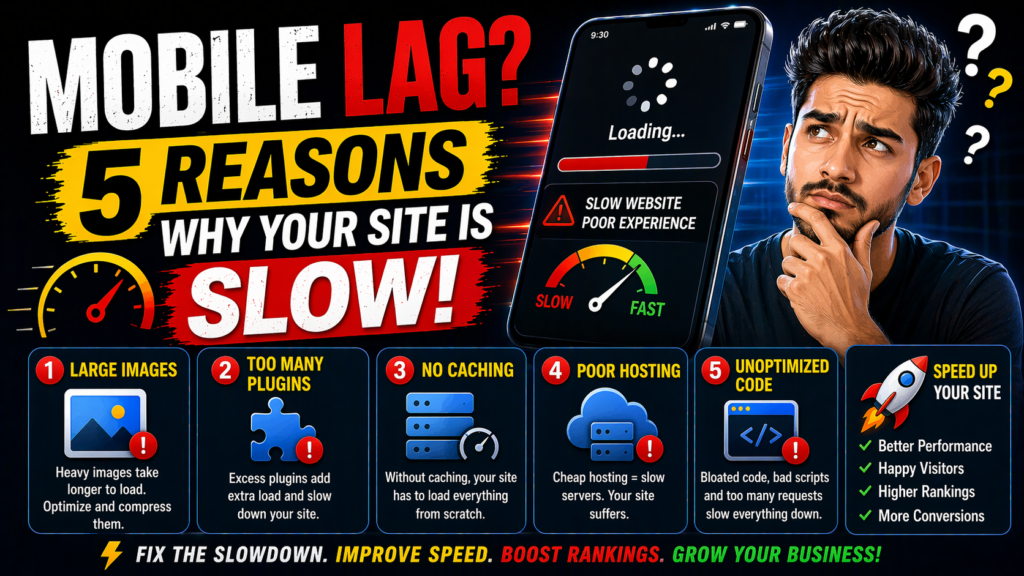
We have all been there. You are out and about, you try to open a website on your phone, and… nothing happens. You stare at a white screen while the loading bar creeps forward like a snail. After five seconds, you get annoyed and close the tab. If this is happening to your own site, you are losing more than just a visitor—you are losing money.
In 2026, mobile traffic has completely taken over. If your desktop site is fast but your phone version is lagging, you have a serious problem. You might be wondering, “why your website loads slowly on mobile devices” when it seems to work fine on your laptop. The truth is, mobile devices have different rules. Let’s break down the real culprits and how you can fix them.
The Speed Gap: Desktop vs. Mobile
Before we dive into the fixes, it is important to understand why mobile is harder to optimize. Here is a quick comparison:
| The Factor | Desktop Experience | Mobile Experience (The Struggle) |
| Processor Power | High-speed CPUs. | Slower mobile processors (CPU throttling). |
| Network Type | Stable Fiber/WiFi. | Unstable 4G/5G or spotty signals. |
| Image Handling | Large screens hide file size. | Large files kill mobile data and speed. |
| JavaScript | Handles heavy scripts easily. | Heavy scripts cause “freezing” on phones. |
| User Patience | 5-7 seconds. | Under 3 seconds or they leave! |
1. Massive Images That Aren’t Scaled
This is the number one reason why your website loads slowly on mobile devices. When you upload a 4MB image, a desktop on high-speed WiFi can download it in a blink. But a smartphone on a weak 4G connection has to struggle to pull that data.
The Fix: You must use “Responsive Images.” This means your website should serve a smaller version of the photo to phones and the big version to desktops. Use the WebP format instead of JPEG—it is much lighter and faster.
2. Poor Server Response (The Hosting Issue)
If your server is slow, everything else is slow. Your phone has to wait for a “handshake” from your server before it can even start loading the content. If you are on a cheap, overloaded host, that is a huge factor in why your website loads slowly on mobile devices.
The Fix: You need a host that uses LiteSpeed technology and has servers close to your audience. I personally trust and recommend Hostinger. Their mobile optimization tools are world-class and can shave seconds off your load time.
3. Too Much “Heavy” JavaScript
Mobile phones have much less “brain power” (CPU) than computers. If your site is full of heavy animations, fancy sliders, or tracking scripts, the phone has to work overtime to process all that code. This is a very common reason why your website loads slowly on mobile devices. The phone literally “freezes” while trying to read the code.
The Fix: Keep it simple. Use “Minification” to shrink your code and “Delay JavaScript Execution” so that the important stuff (like text) loads before the heavy scripts.
4. Ignoring the Mobile-First Design
Many people design their site for a big screen and then try to “squeeze” it into a phone. This is the wrong way to do it. If your site has to load a giant desktop layout and then hide pieces of it for mobile, you are wasting time and data. This technical “bloat” is exactly why your website loads slowly on mobile devices.
5. Lack of Proper Mobile Caching
Caching is like keeping a “pre-built” version of your site ready for visitors. Some caching plugins only optimize for desktop and ignore mobile users. If your server is building the mobile page from scratch for every single visitor, your speed will suffer.
The Fix: Use a high-quality caching plugin like WP Rocket or LiteSpeed Cache and make sure the “Mobile Caching” option is turned on. It is an instant fix to the problem of why your website loads slowly on mobile devices.
6. Redirect Chains and External Scripts
Are you using five different fonts from Google? Do you have three different tracking pixels and a chat bot? Every single one of these has to “talk” to an external server. On a mobile network, these extra trips back and forth cause massive delays. This is a sneaky reason why your website loads slowly on mobile devices.
How to Audit Your Mobile Speed Today
Don’t just guess. Use Google PageSpeed Insights and specifically look at the “Mobile” tab. If your score is in the red (below 50), you are likely losing 60-70% of your potential traffic. It will tell you exactly which scripts or images are the biggest “Mobile Speed Killers.”
Let’s Make Your Website Fly!
Mobile speed is not just a technical detail; it is your business’s front door. As a professional developer, I know that a fast mobile site converts better and ranks higher.
If you want to see some examples of high-speed, mobile-optimized designs, feel free to check out my Instagram @the_sahebali.
Tired of a lagging site? If you want a professional speed audit or a custom, mobile-first WordPress site built for your business, reach out to me on WhatsApp: +880 1782-370787. Let’s get your site up to speed!
Conclusion
In 2026, if you aren’t fast on mobile, you are invisible. Stop letting unoptimized images or slow hosting kill your growth. Now that you know why your website loads slowly on mobile devices, take an hour today to start fixing these issues. Your visitors—and your bottom line—will thank you.